Roles for the work
Give Builders, Reviewers, and Viewers access appropriate to their tasks.

STAYCHARTED AMT / PRODUCT
Turn labeled text or pictures into a model that applies your categories to new records. Prepare examples, train, check the results, and put the model to work.
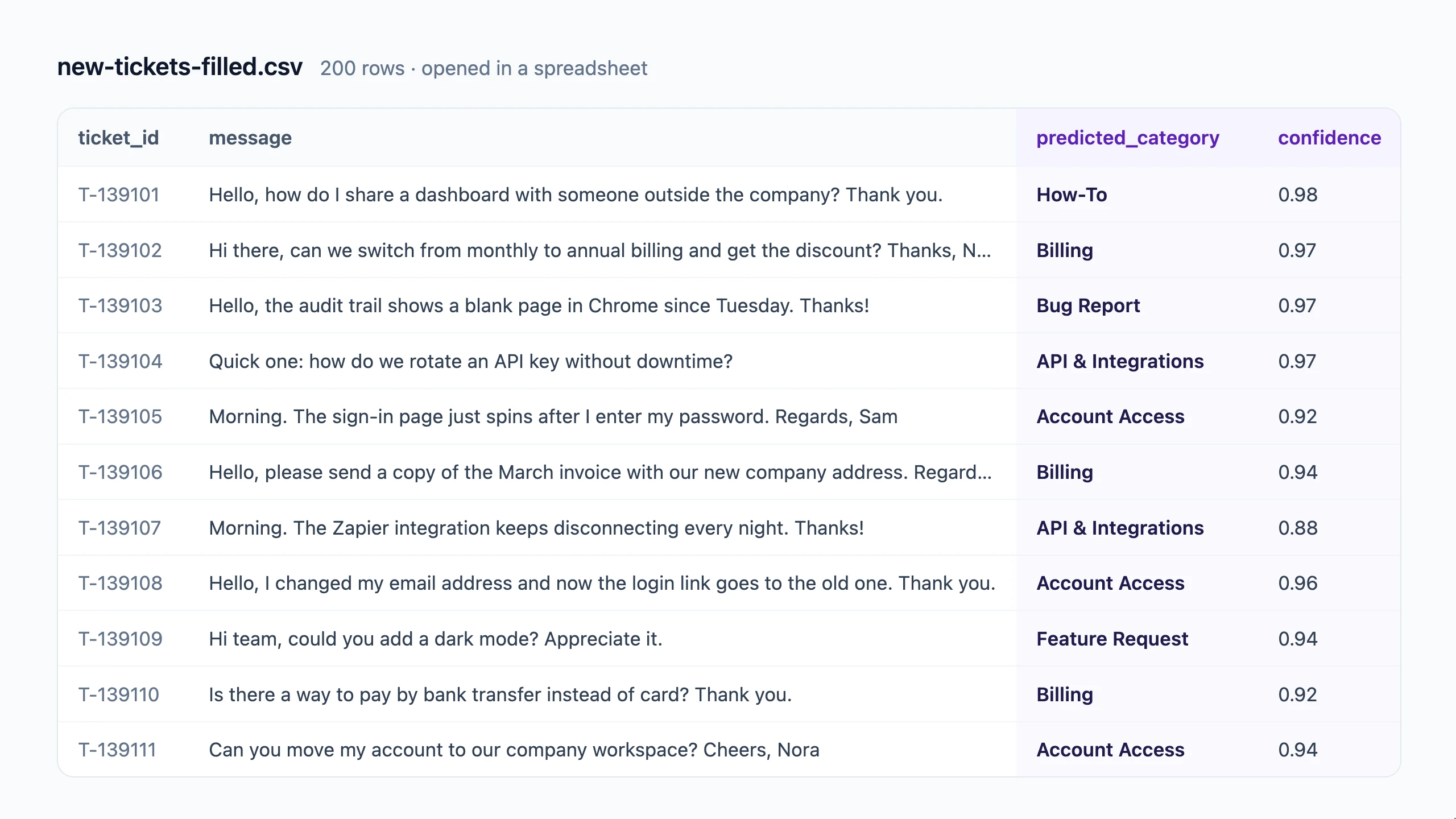
STEP 1
Start with a spreadsheet of messages and approved categories. In our example, a support team teaches the model labels such as Billing, Account Access, and Feature Request. Select the answer column and the text the model should read. For pictures, use category folders or labeled picture links.
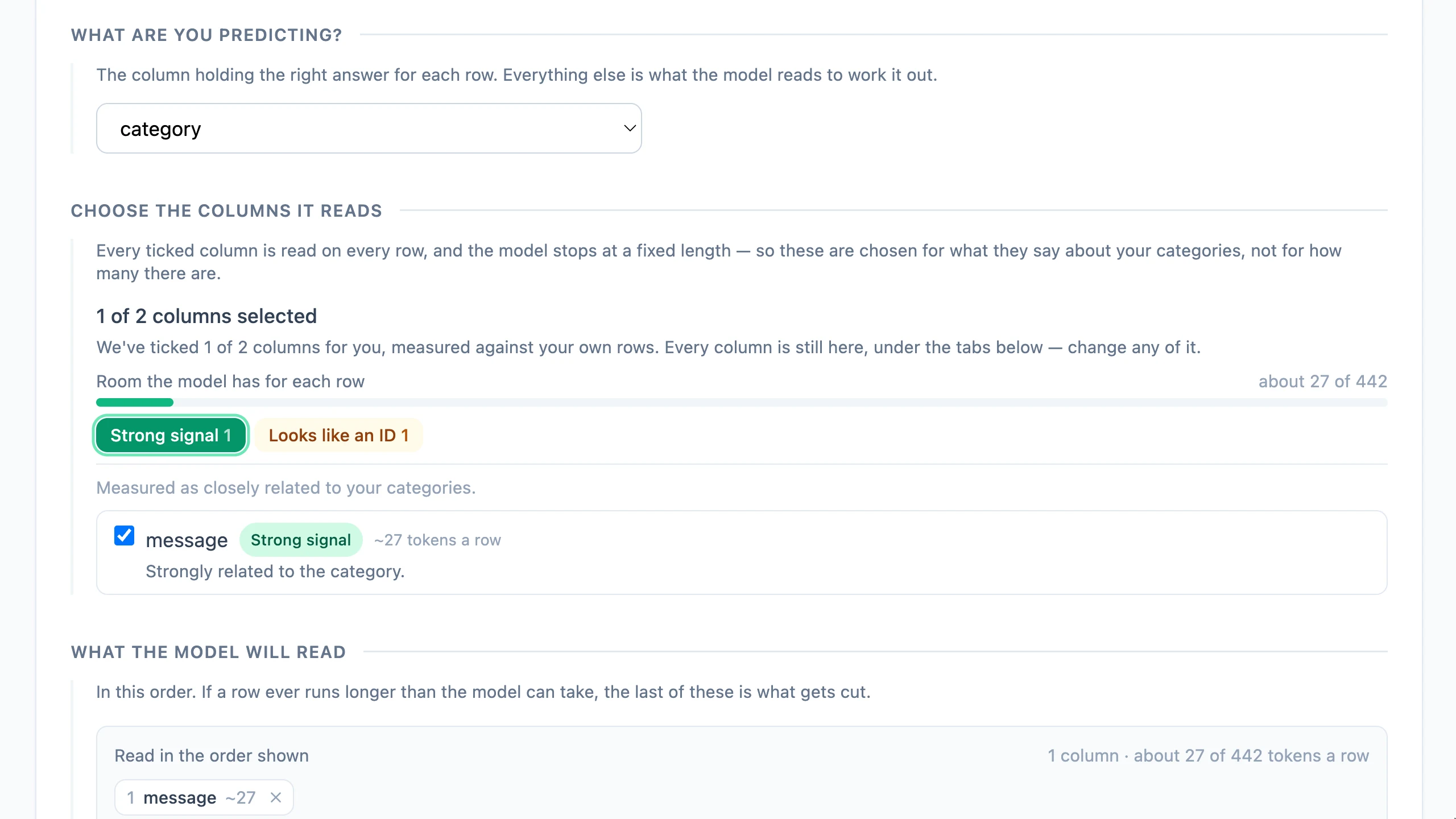
STEP 2
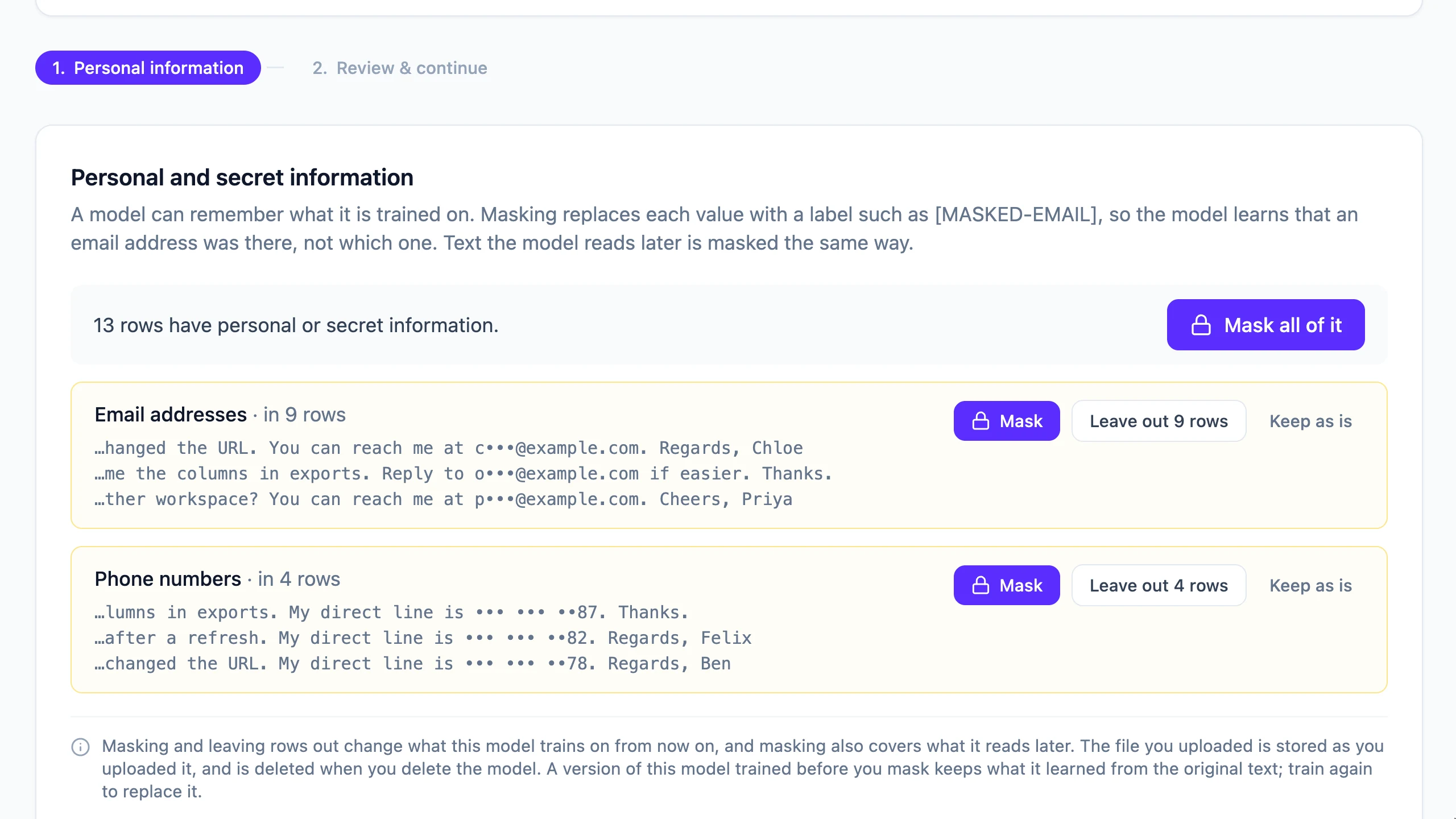
Look for inconsistent labels and unhelpful inputs. Review detected personal information and decide whether to mask it or leave affected rows out. Pattern-based checks do not catch everything. For pictures, review duplicates and category conflicts before training.
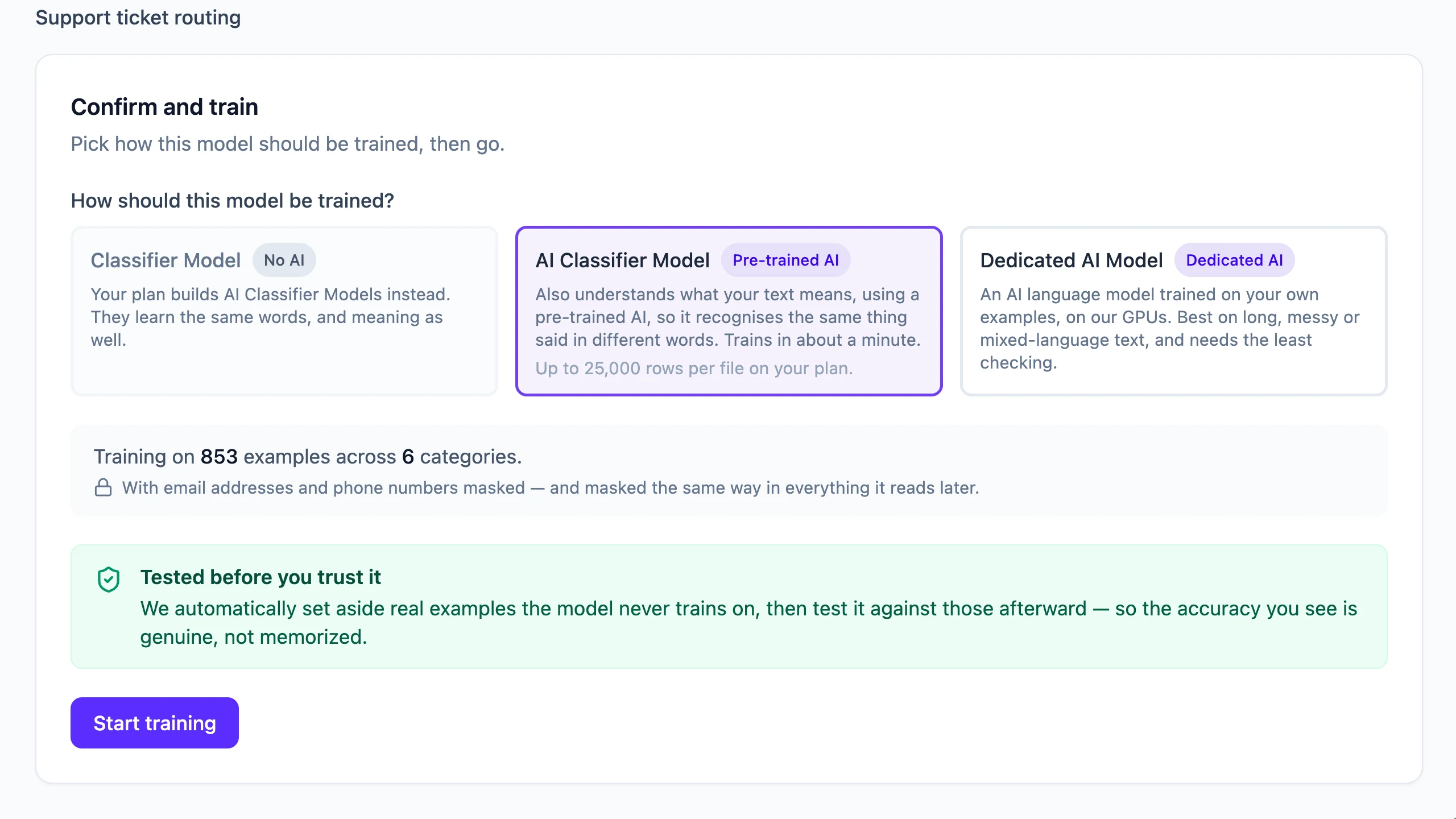
STEP 3
Start with a model available on your plan. A Classifier Model learns words; an AI Classifier Model also uses meaning; a Dedicated AI Model fine-tunes the AI itself. Your category definitions and examples matter whichever model you choose.
STEP 4
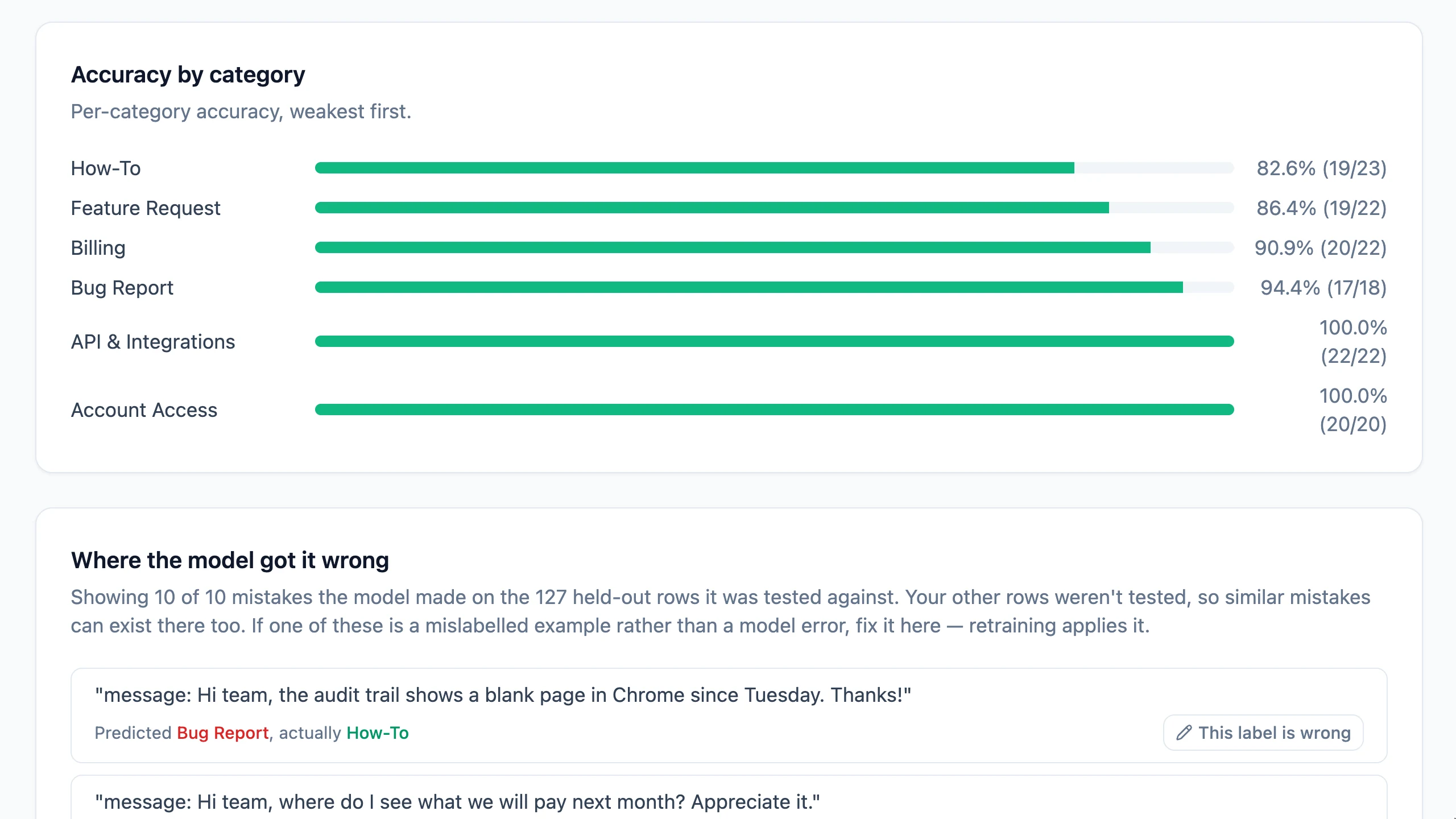
AMT tests against held-out examples. Compare overall accuracy, performance by category, and the mistakes that matter. The score in this screenshot belongs to its sample dataset; it is not a promise for your data. Correct labels or add examples, then retrain when needed.
STEP 5
Publish the version you want to use. Fill a file with new messages, try a record, or call the model through the API on a supported plan. Keep a review path for uncertain or consequential results. Use feedback to improve the next version.
Give Builders, Reviewers, and Viewers access appropriate to their tasks.
Use Activity to review changes to your workspace and models.
Correct examples, retrain, and check the report before publishing a replacement.
Start with Free for text classification. Compare plans for AI models, Vision, and API access.