Check before you train
Find similar pictures and choose which examples to keep.
 View full-size screenshot ↗
PRODUCT TOUR · STAYCHARTED AMT
See how AI Model Trainer turns labeled text and pictures into private, business-specific models. Prepare your data, check the results, and put predictions to work.
StayCharted AI Model Trainer in two minutes. Turn a column of text, or a folder of pictures, into a column of answers Upload examples your team has already labelled. Personal information is masked before anything is trained. Pick a model: no AI, a pre-trained AI, or a Dedicated AI Model trained on GPUs. Every version is tested on examples it never trained on. See every mistake, and fix mislabelled examples. Try it on a single record. Fill a whole spreadsheet, with a confidence on every row. Or call it from your own code. With the Vision add-on, train on pictures too. New pictures, sorted, each with a confidence. Invite your team as Builder, Reviewer or Viewer. People are free. Every action is recorded in the Activity log. Build your Business-Specific AI.. amt.staycharted.com
Screens show sample data. Masking is a choice you make during the data review step.
TEXT MODELS
Follow a support-ticket model from upload to prediction, using 900 sample tickets across six categories.
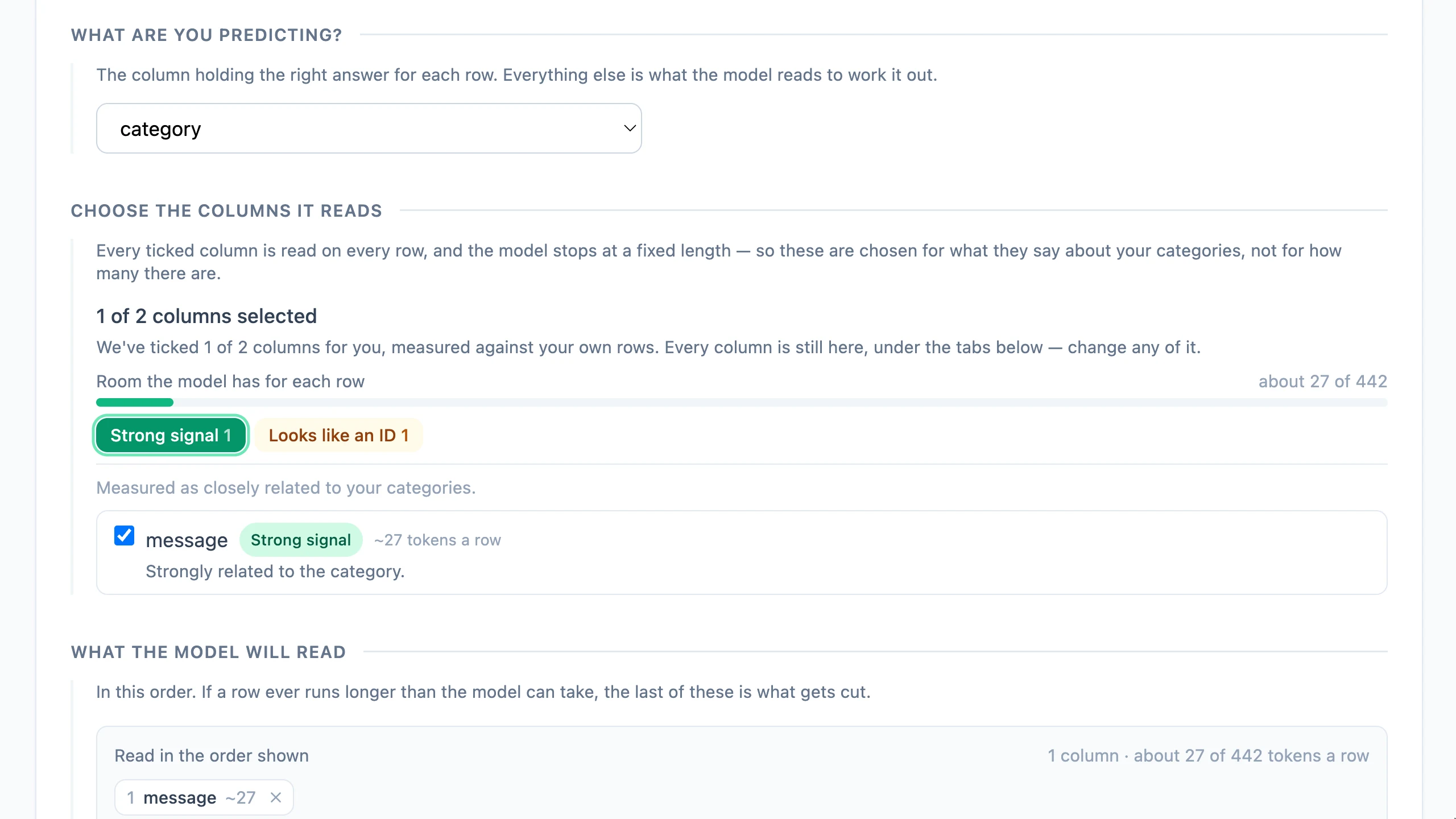
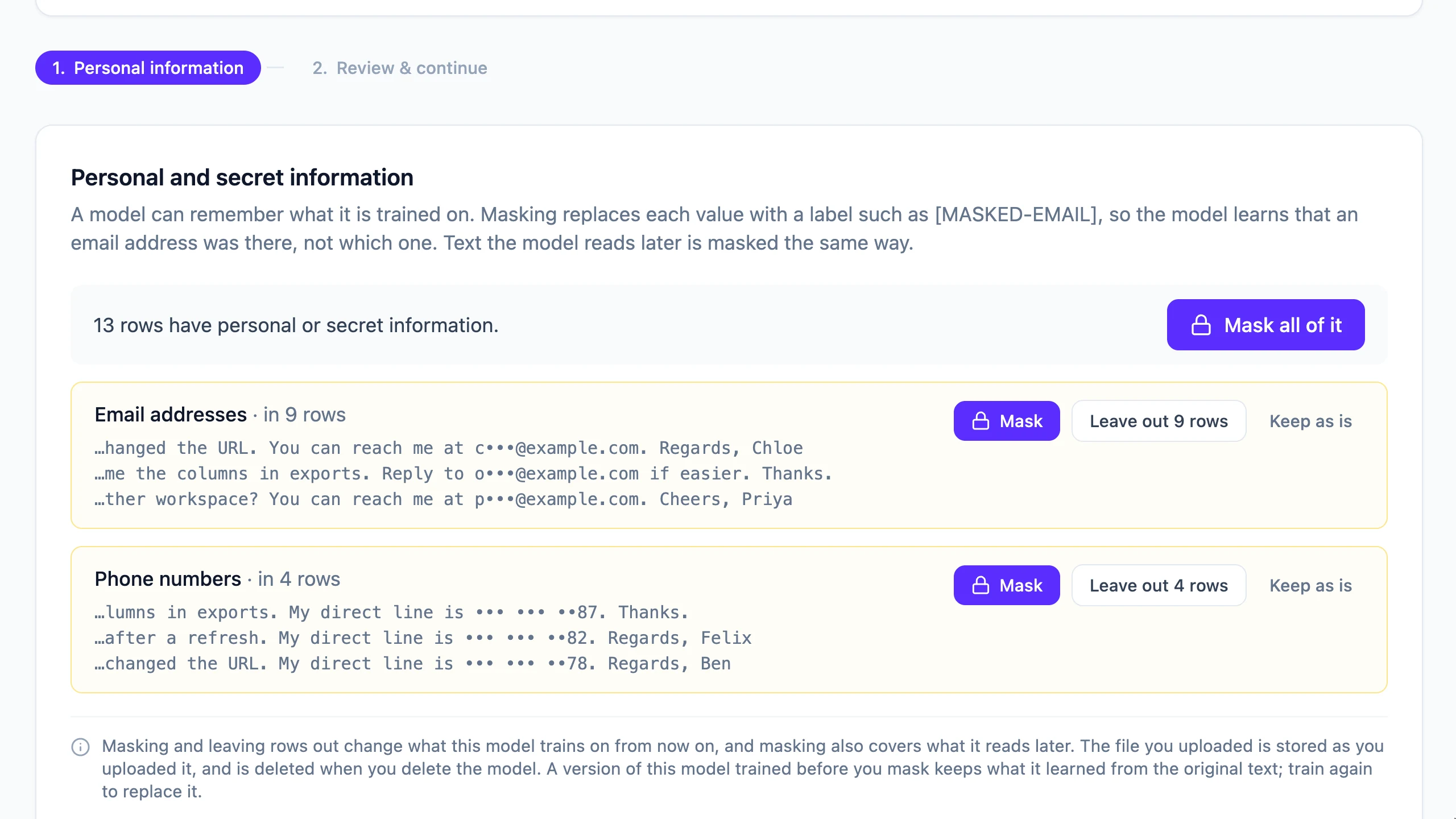
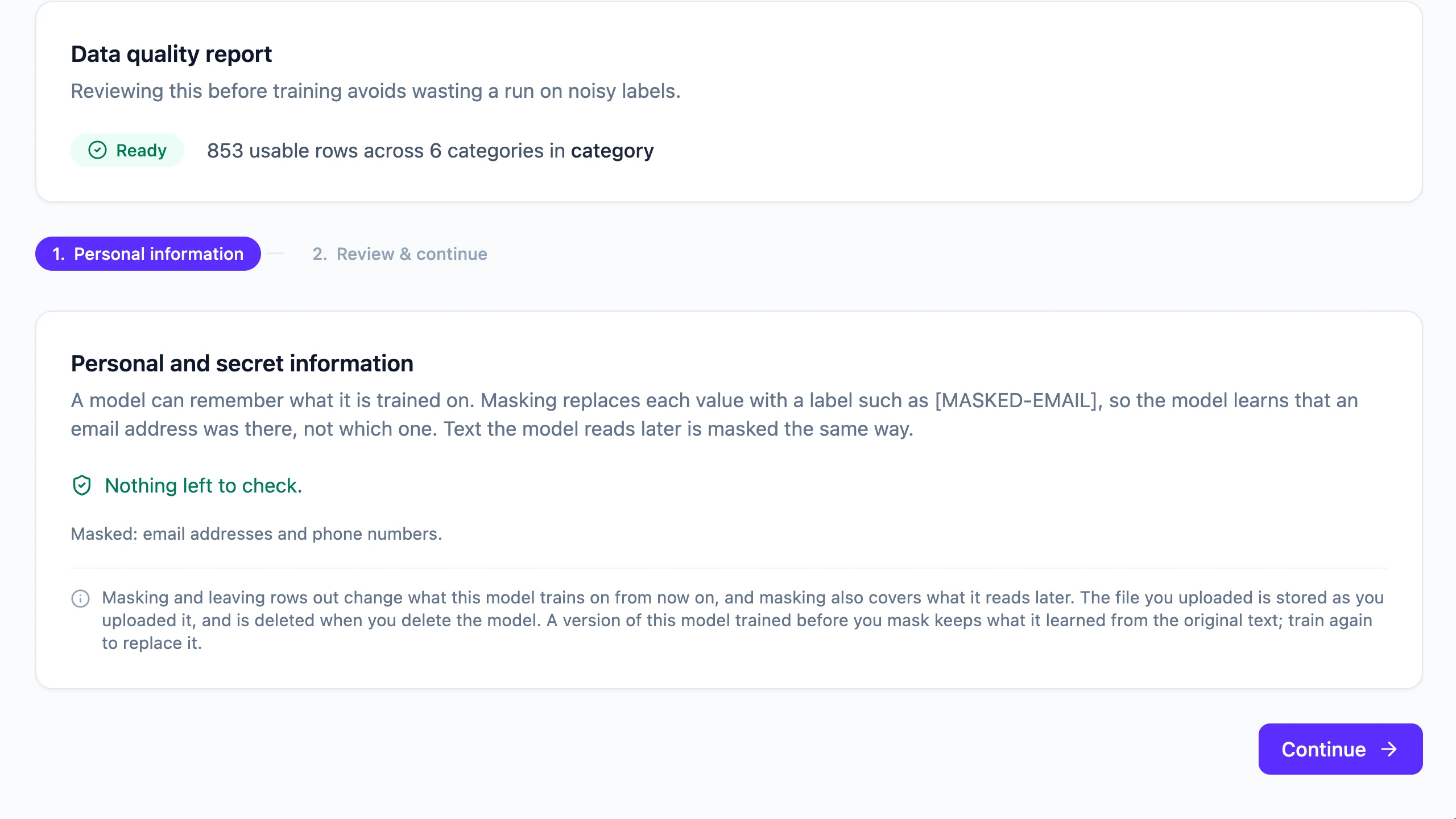
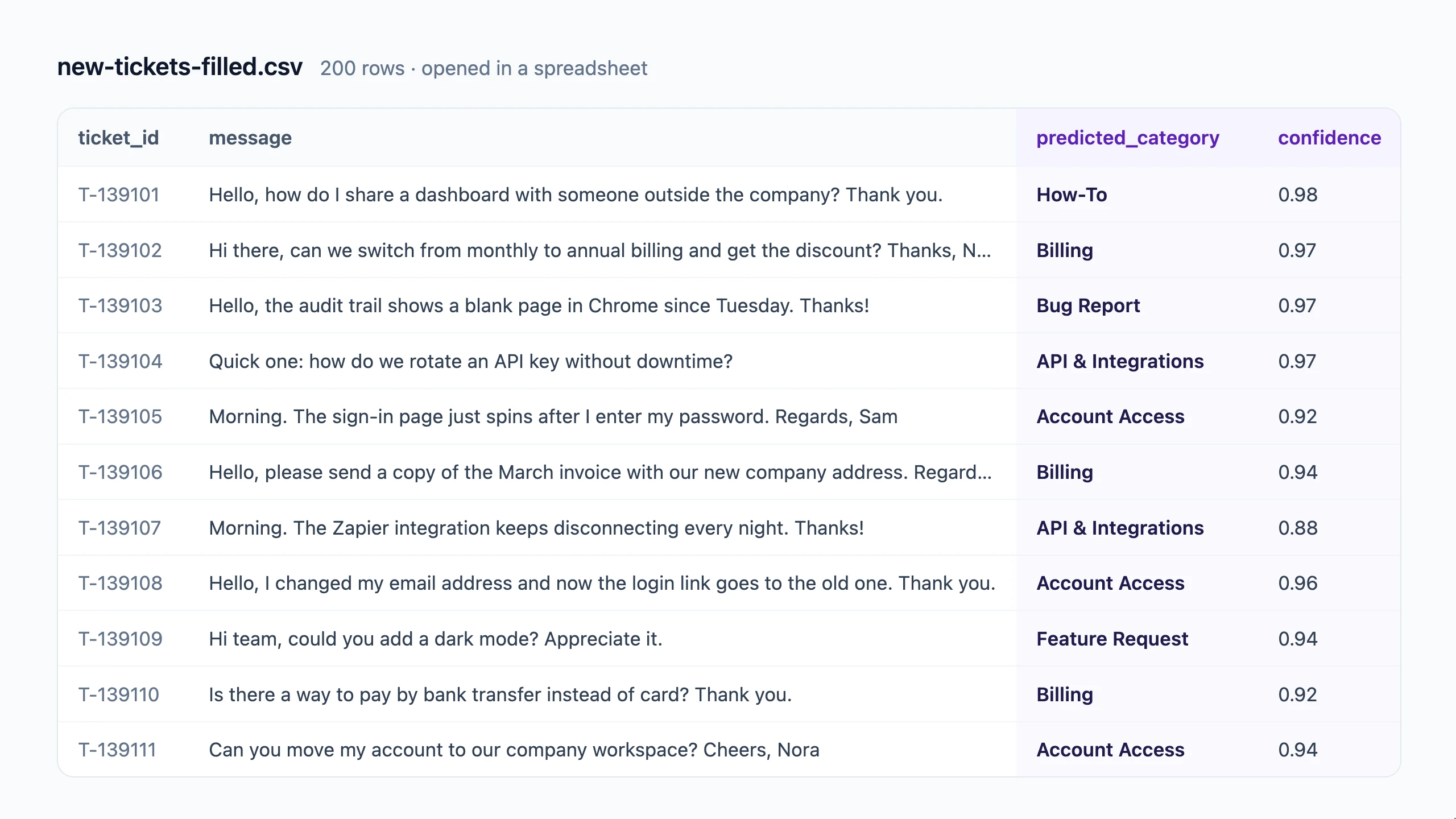
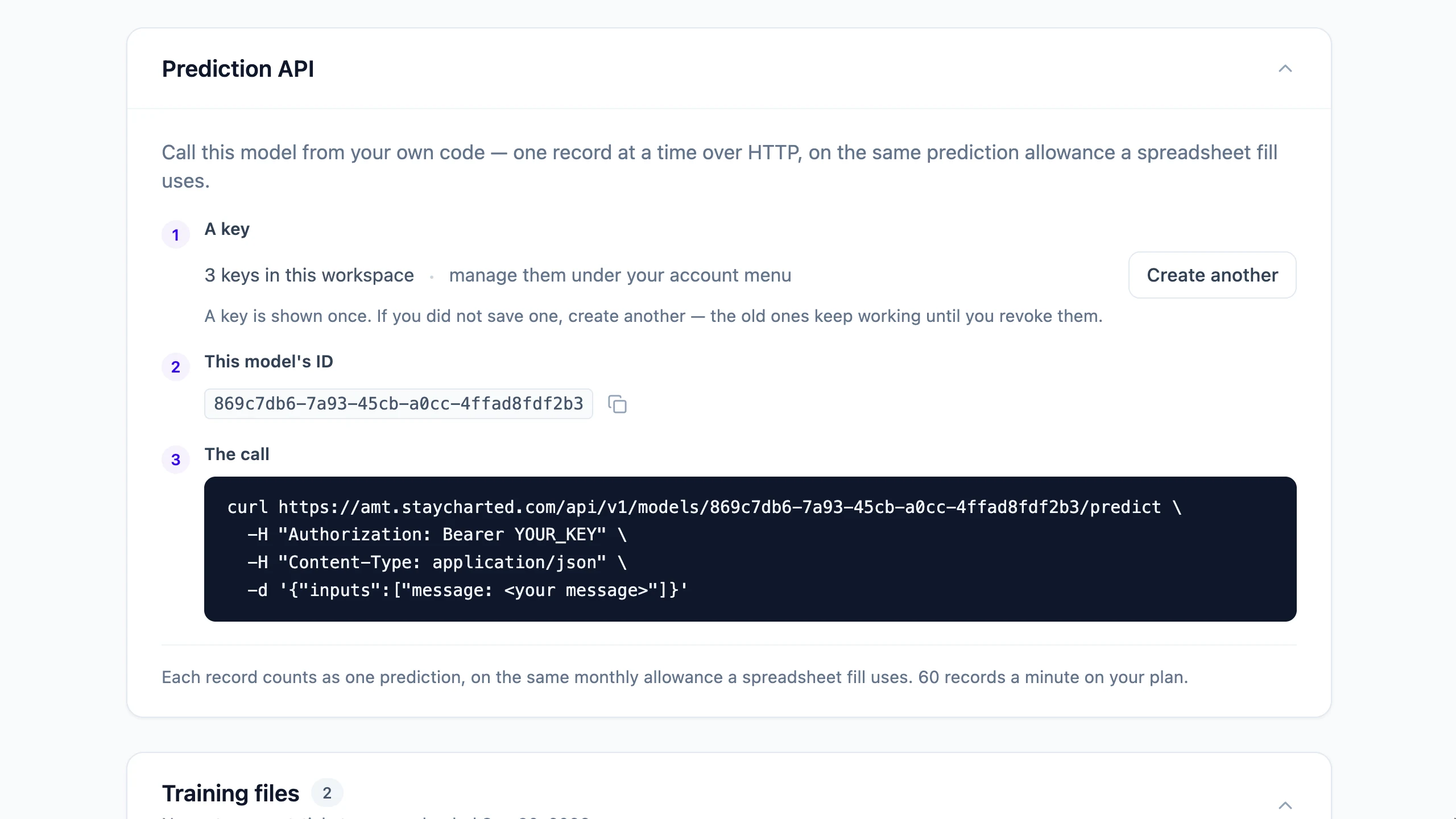
Build a support-ticket model, step by step. 900 labelled support tickets · 6 categories Step 1 · Set up. Name the model and say what it should predict. Step 2 · Upload. Upload the spreadsheet you already keep: CSV, Excel or JSON. It finds the column to predict, and counts the rows and categories. It measures which columns carry signal: the message is read, the ticket ID left out. Check the rows exactly as the model will read them. Step 3 · Data quality. The data quality report: 853 usable rows across 6 categories. Personal information is found before training: email addresses and phone numbers. Mask it with one click. It is masked the same way in everything the model reads later. Step 4 · Train. Choose the model. An AI Classifier Model reads meaning and trains in about a minute. Training runs in the background. You can close the page. Step 5 · Validate. Tested on 127 tickets it never trained on: 92.1%, against an 18.1% naive baseline. Accuracy for every category, weakest first. Every mistake is listed. If the label was wrong, correct it for the next training. Publish the version to start using it. Step 6 · Use it. Try a record and see the answer with its confidence. Fill a spreadsheet: upload 200 new tickets. All 200 rows filled, ready to download. Every row gets a predicted category and a confidence score. Or call the model from your own code with a workspace API key. Need more? Train a Dedicated AI Model on the same data, on GPUs, and compare. Your categories, learned from your examples. amt.staycharted.com
Upload a CSV, Excel or JSON file. Choose what to predict and review which columns the model will read. Keep useful information and leave out identifiers that do not help.
 View full-size screenshot ↗
StayCharted AMT checks for supported types of personal and secret information. Choose to mask detected values, exclude affected rows, or keep them. Masking also applies to text processed later for predictions; detection may not find every sensitive value.
 View full-size screenshot ↗
 View full-size screenshot ↗
Masking does not change the original upload. Original text and picture ZIP training uploads are deleted after 90 days, unless deleted sooner. Some recorded screens show earlier retention wording.
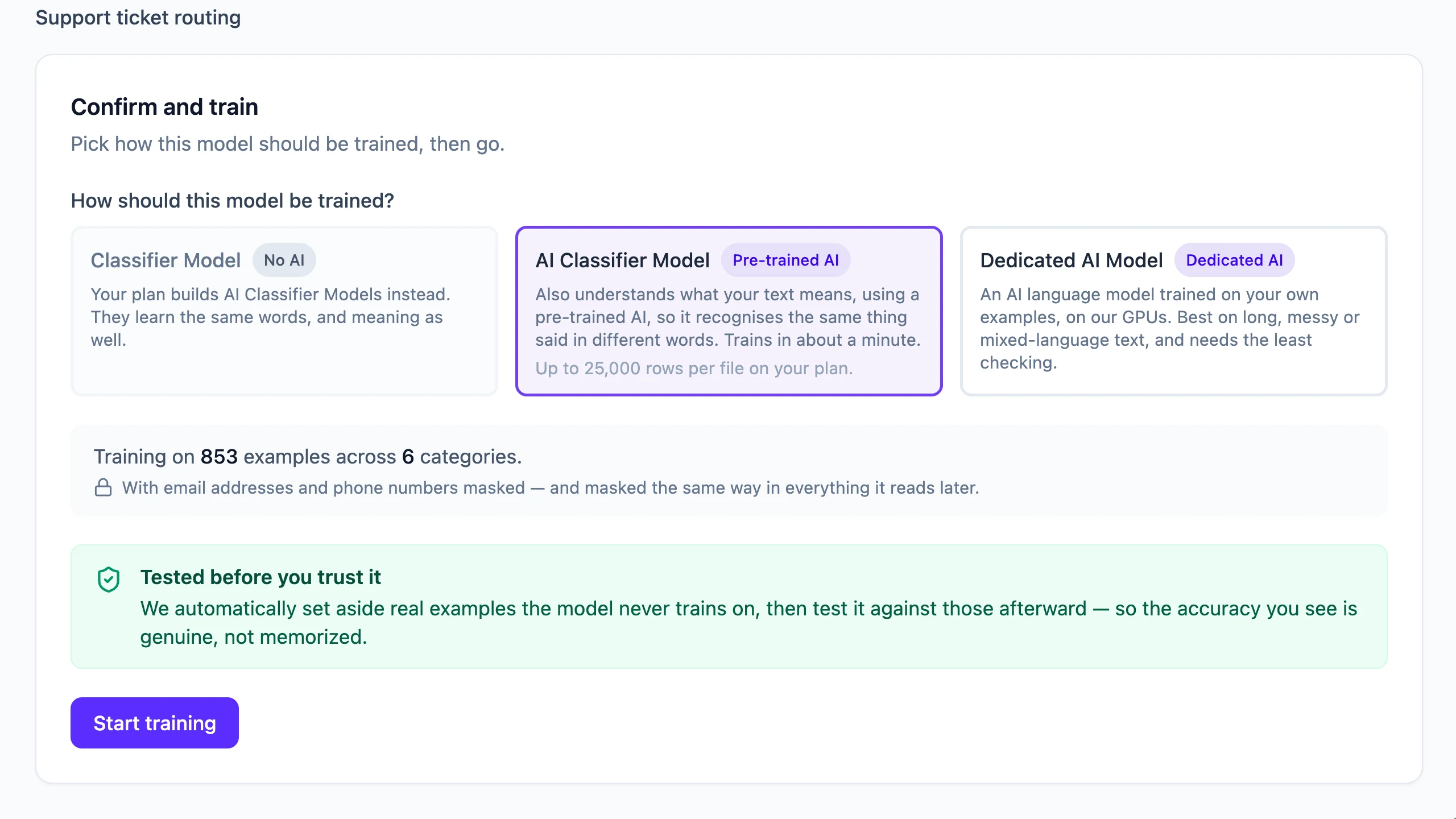
A Classifier Model learns word patterns. An AI Classifier Model also uses meaning from pre-trained AI. A Dedicated AI Model fine-tunes AI on your examples. Available options depend on your plan; review validation results to choose the approach that fits your data.
 View full-size screenshot ↗
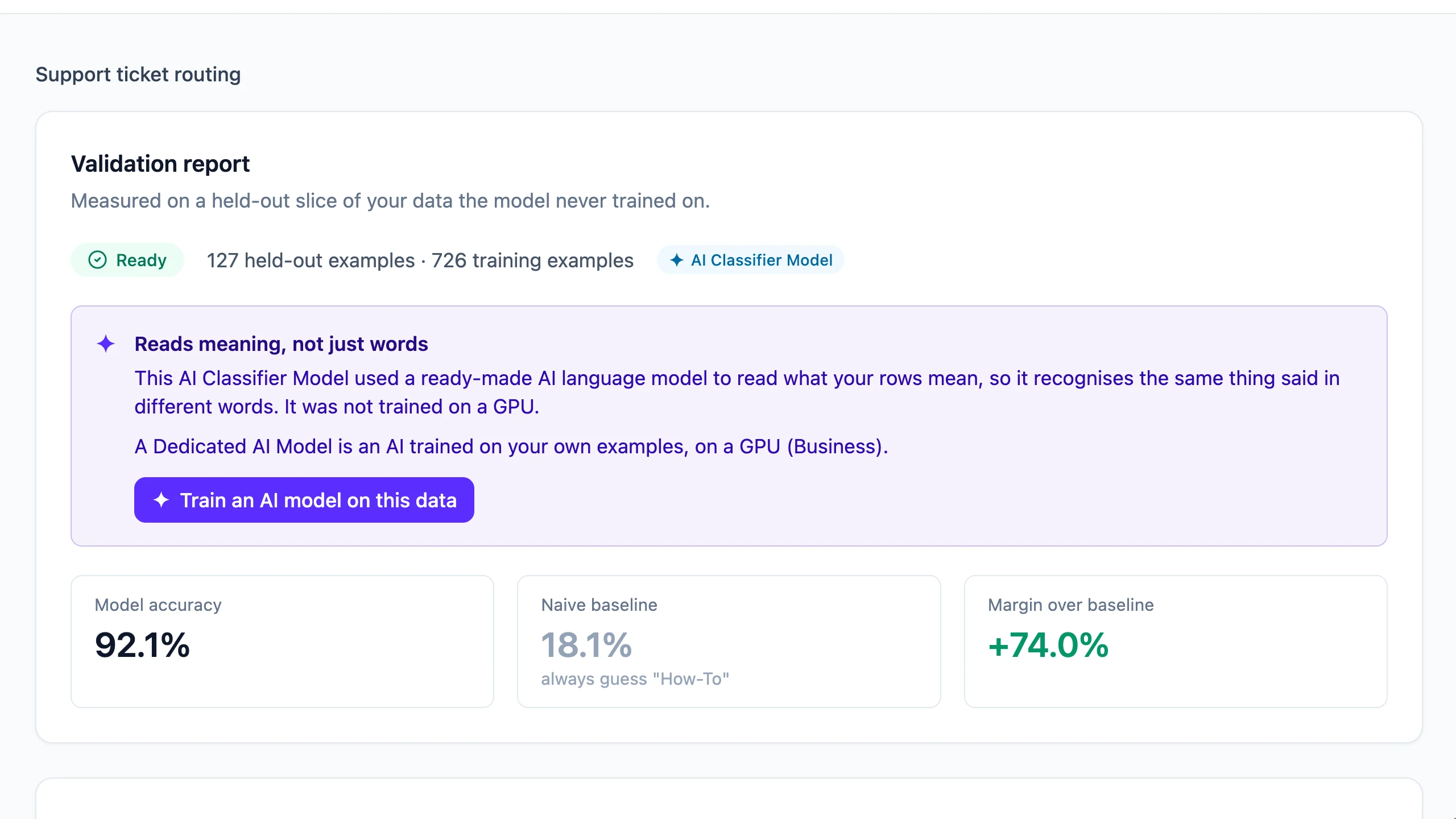
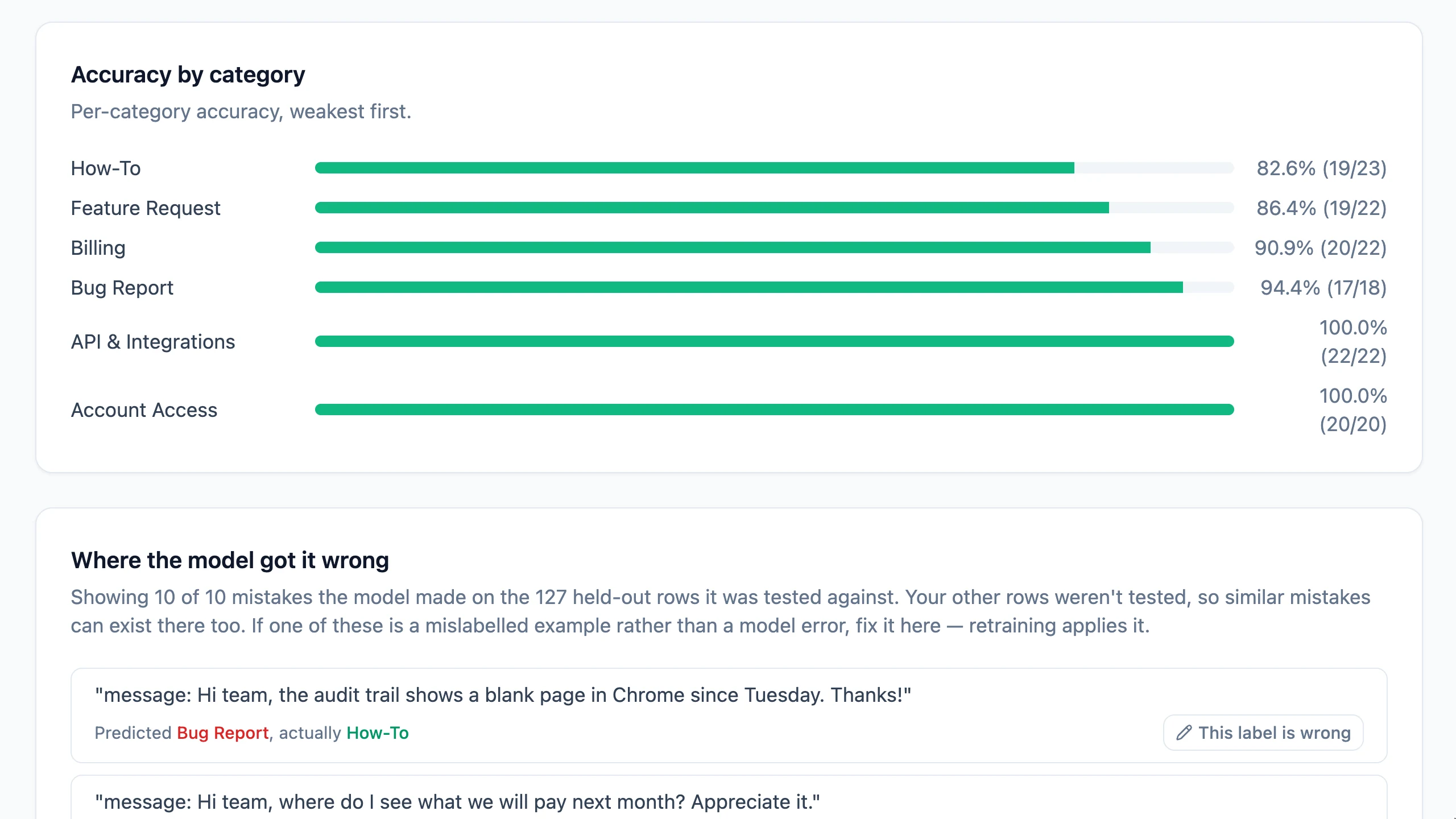
See performance on examples held out from training, compare it with a baseline, and check accuracy by category. The sample report shows 92.1% accuracy on 127 held-out examples. It describes this demonstration, not expected results for your data.
 View full-size screenshot ↗
 View full-size screenshot ↗
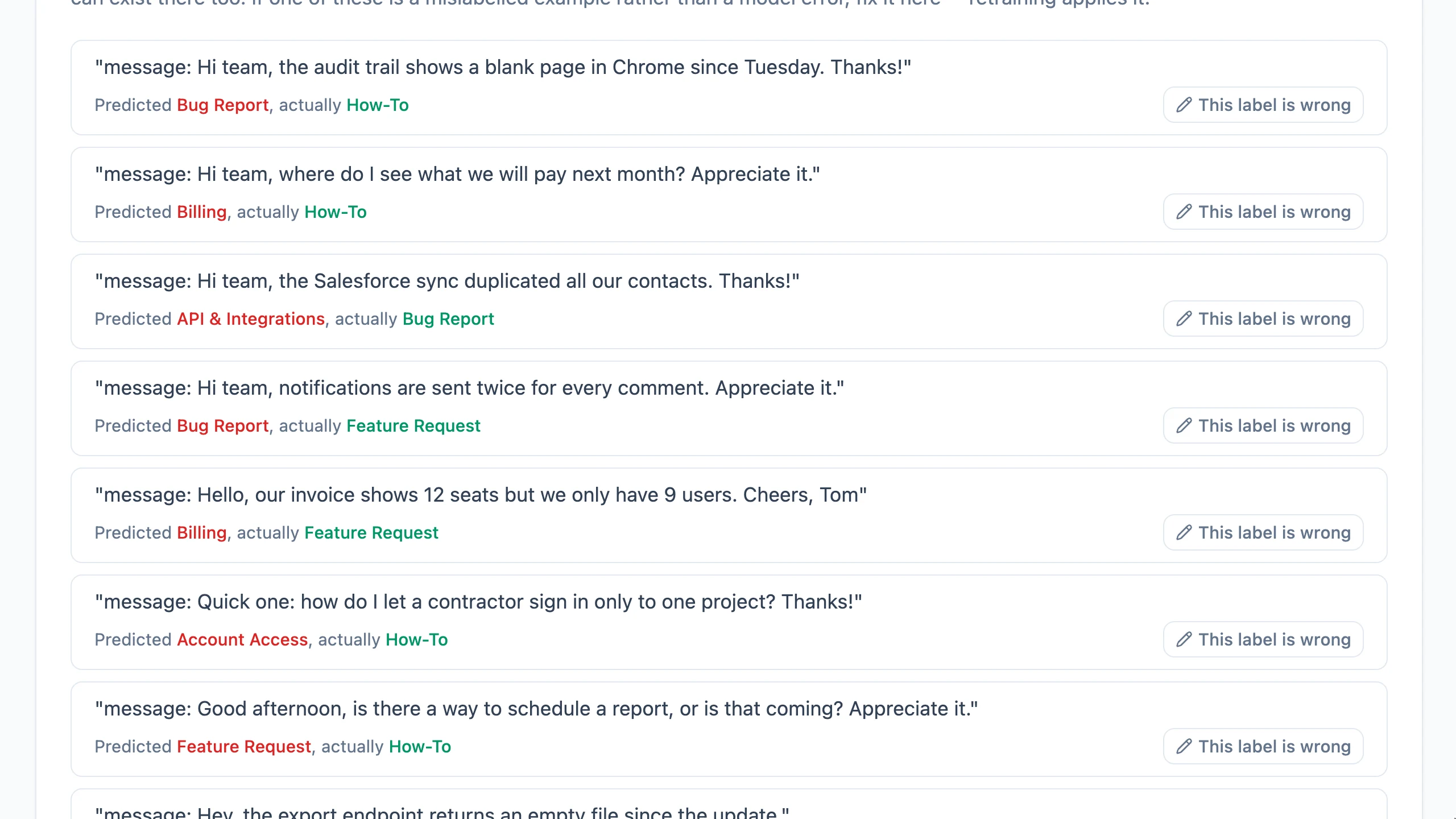
Review the mistakes in the test set. If an example has the wrong label, correct it and retrain. Your published version continues answering until you publish its replacement.
 View full-size screenshot ↗
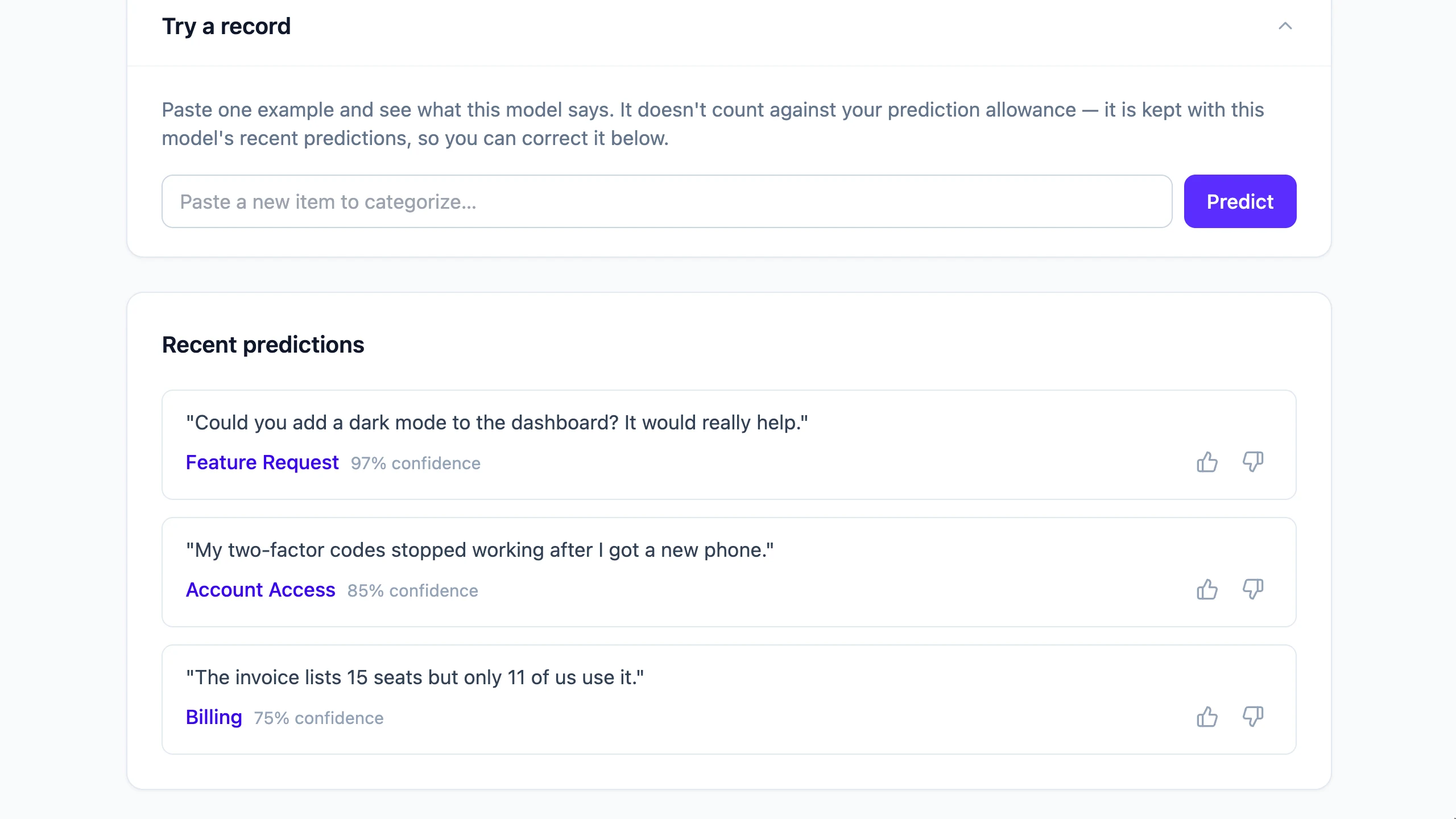
Try an individual record, fill a file with predicted categories and confidence scores, or connect your application through the Prediction API on a plan that includes API access. Review uncertain predictions before acting on them.
 View full-size screenshot ↗
 View full-size screenshot ↗
 View full-size screenshot ↗
VISION · IMAGE MODELS
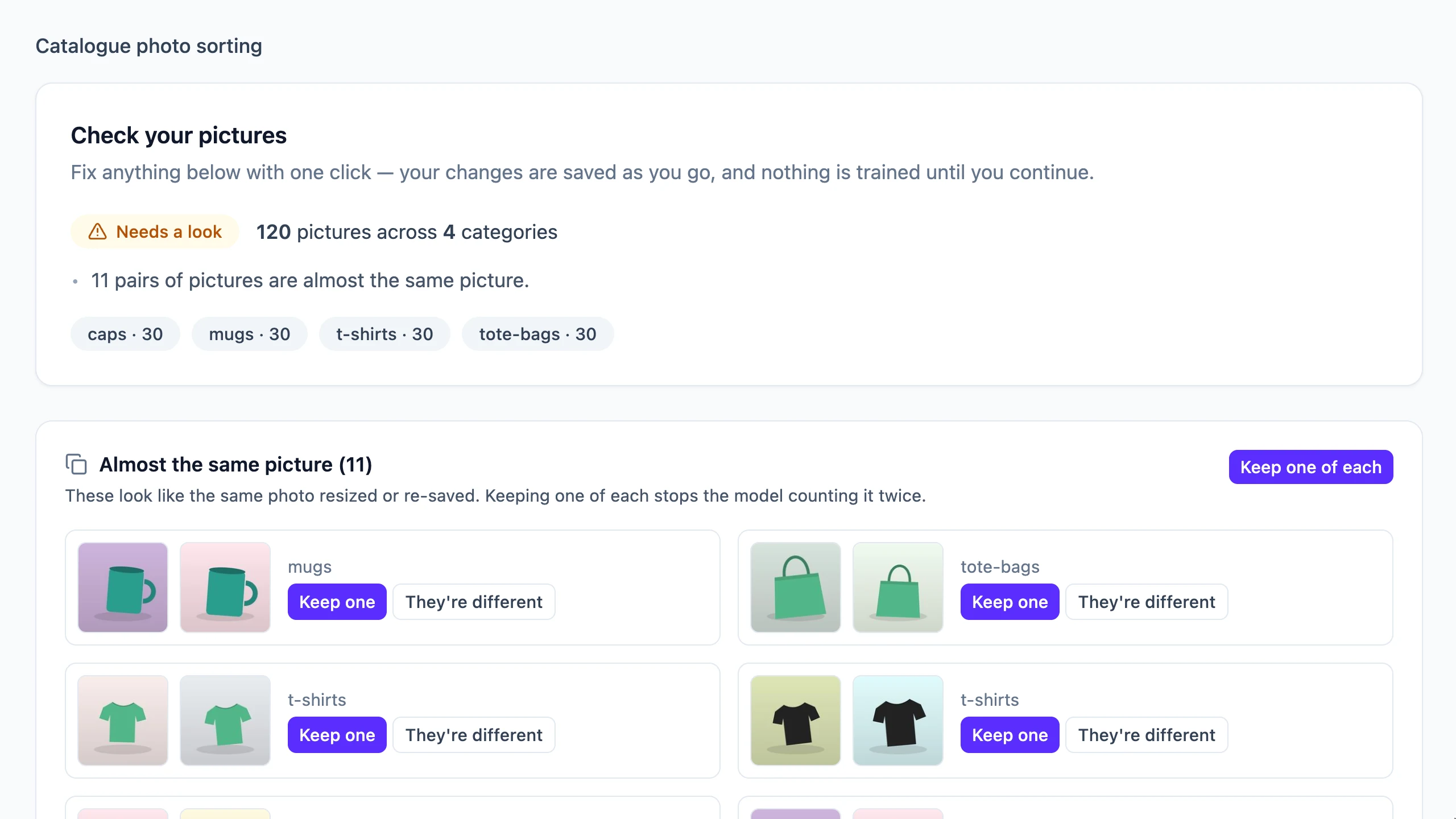
Start with a ZIP organized by category, or a spreadsheet of image links. Check near-duplicates, review your categories, then train a model to sort new pictures.
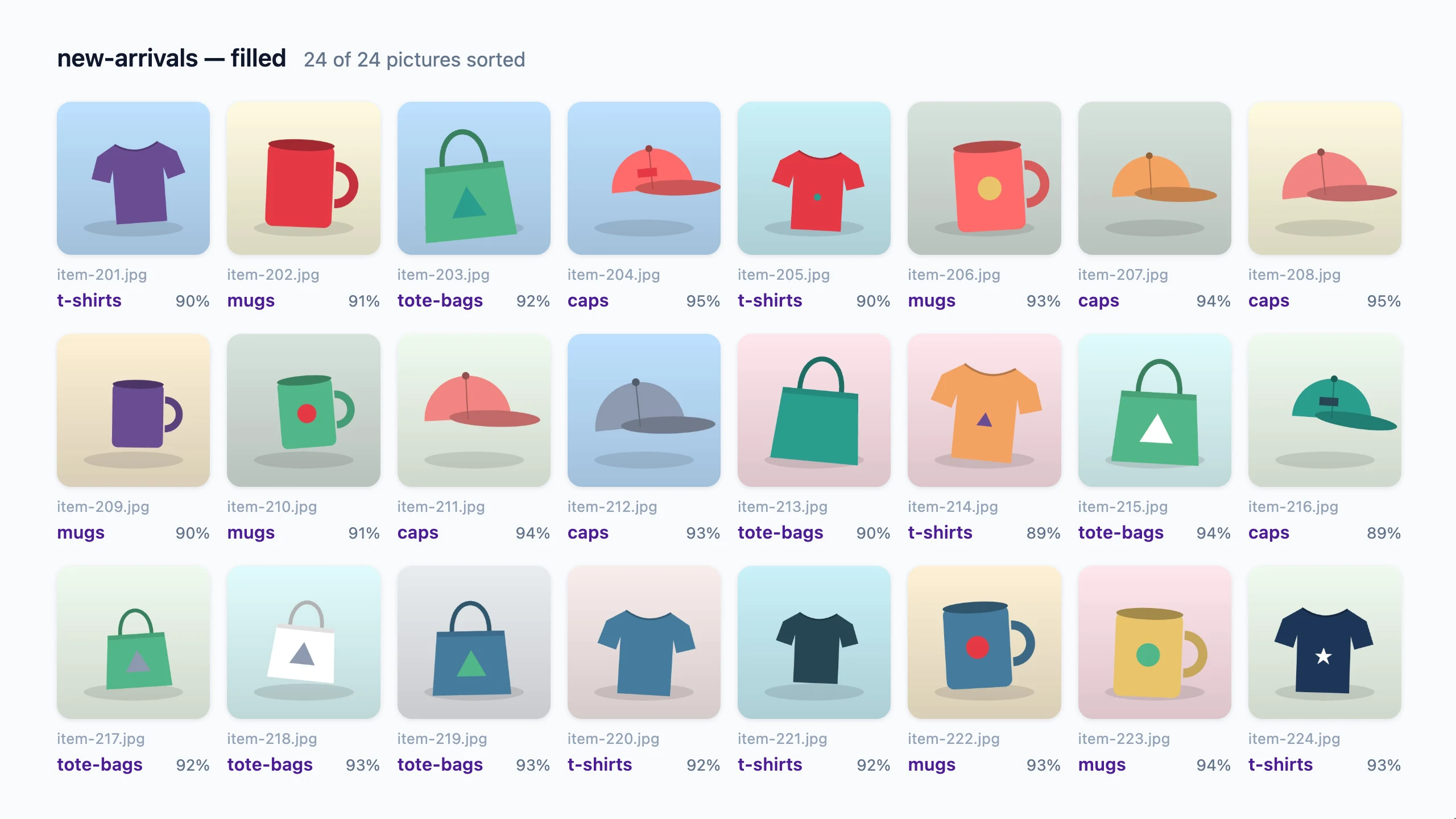
Sort product photos with Vision. 120 product photos · 4 categories Step 1 · Set up. Name the model and choose Pictures. Step 2 · Upload. Add a ZIP with one folder per category, or a spreadsheet of picture links. The ZIP: caps, mugs, t-shirts and tote bags, 30 pictures each. The categories come from the folder names. Step 3 · Check. Every picture is checked and its location data removed. Near-duplicate pictures are found, so one photo isn't counted twice. Keep one of each with a click: 110 pictures, ready to train. Look through every picture by category. Change a category or leave one out. Step 4 · Train. Choose the AI Image Classifier Model. It trains in about a minute. Step 5 · Validate. 16 of 16 test pictures right. Results depend on your own pictures. Step 6 · Use it. Sort the new arrivals: upload a ZIP of 24 new pictures. All 24 filled, ready to download. Every picture gets a category and a confidence. Sort pictures the way your team already does. The Vision add-on · amt.staycharted.com
This tour uses 120 sample product illustrations. Results depend on your own pictures. Embedded metadata is removed from the resized copies used by the model; the original ZIP is retained unchanged until deletion.
Find similar pictures and choose which examples to keep.
View full-size screenshot ↗See a category and confidence score for each picture.
 View full-size screenshot ↗
BUILT FOR TEAMS
Organize models, files and API keys by workspace. Invite team members as Builders, Reviewers or Viewers, and follow changes in the Activity log. There is no per-seat charge.
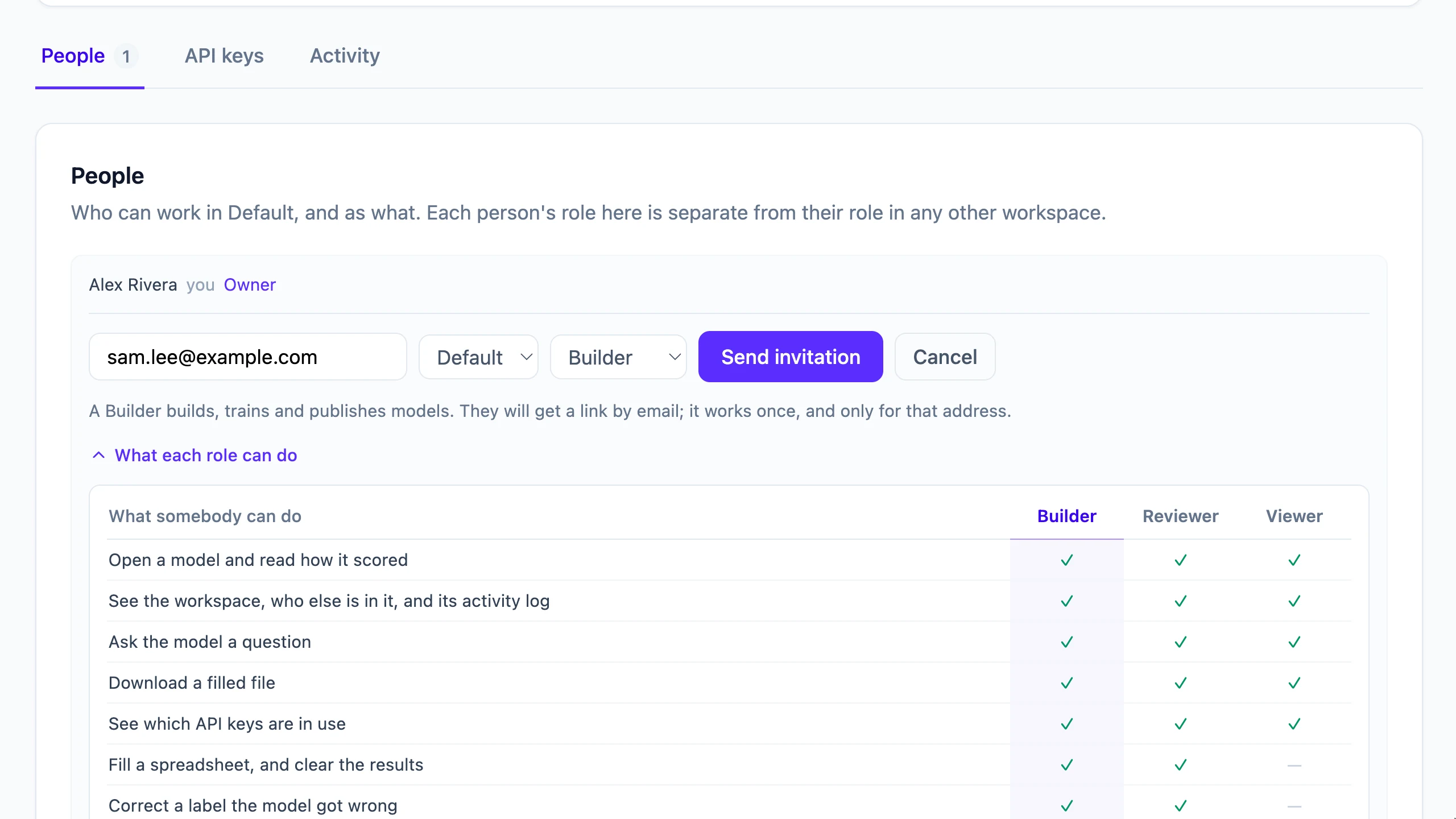 View full-size screenshot ↗
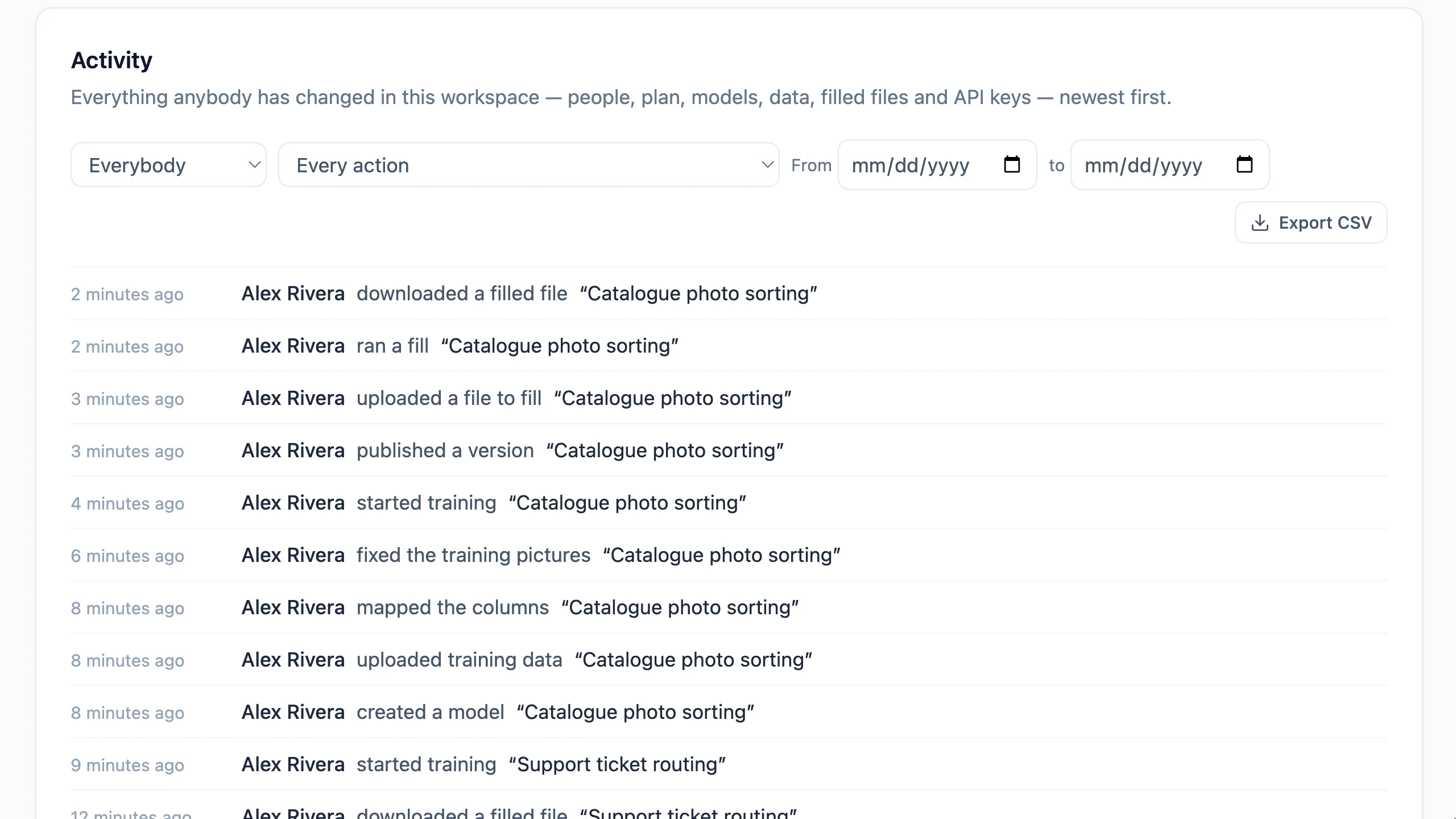 View full-size screenshot ↗
YOUR NEXT STEP
Start with the examples you already have. The Free plan includes access to an AI Classifier Model.
Screenshots show sample data. Account details and some example rows have been changed for privacy.